🌳
True Recursive Duplication
Traverses all nested subfolders, recreates the exact directory structure, and clones every file into its corresponding mirrored directory.
☁️
100% Cloud-to-Cloud
Transfers files server-to-server directly within Google's cloud infrastructure. No bandwidth or local storage used.
🛡️
Rate-Limit Shield
Automated Exponential Backoff with randomized jitter handles HTTP 429 and 403 Google Drive API quotas gracefully.
📊
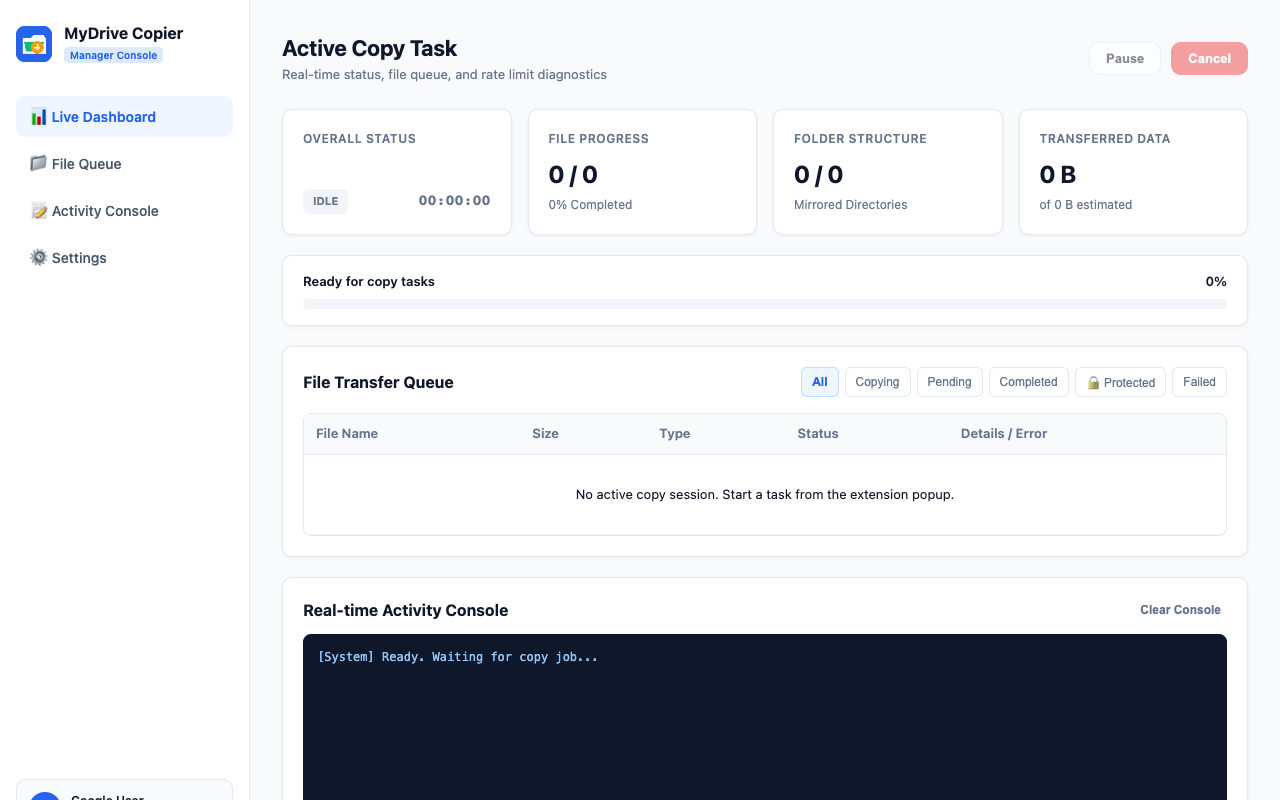
Task Manager Dashboard
Real-time progress bars, live transfer counters, file queue statuses, and a 1-click retry button for temporary network glitches.
Frequently Asked Questions
How do I copy a shared Google Drive folder recursively?
Google Drive natively does not offer a "Make a copy" option for folders. With MyDrive Copier installed, open the shared folder in Google Chrome, click the extension icon, click "Auto-Detect Tab", and hit "Start Recursive Copy". It copies all subfolders and files cloud-to-cloud automatically.
Does copying shared folders use my local internet bandwidth?
No. All file transfer operations occur directly within Google's cloud infrastructure through official Google Drive API v3 endpoints. Zero bytes are downloaded to your local computer.
Does MyDrive Copier copy native Google Docs, Sheets, and Slides?
Yes. Unlike manual ZIP downloading which converts your Google Docs and Sheets into Microsoft Word and Excel files, MyDrive Copier preserves the native Google Workspace format.
Does MyDrive Copier store or access my files?
No. Your files never touch any external server. All API requests are securely executed client-side between your Chrome browser and Google Drive API.